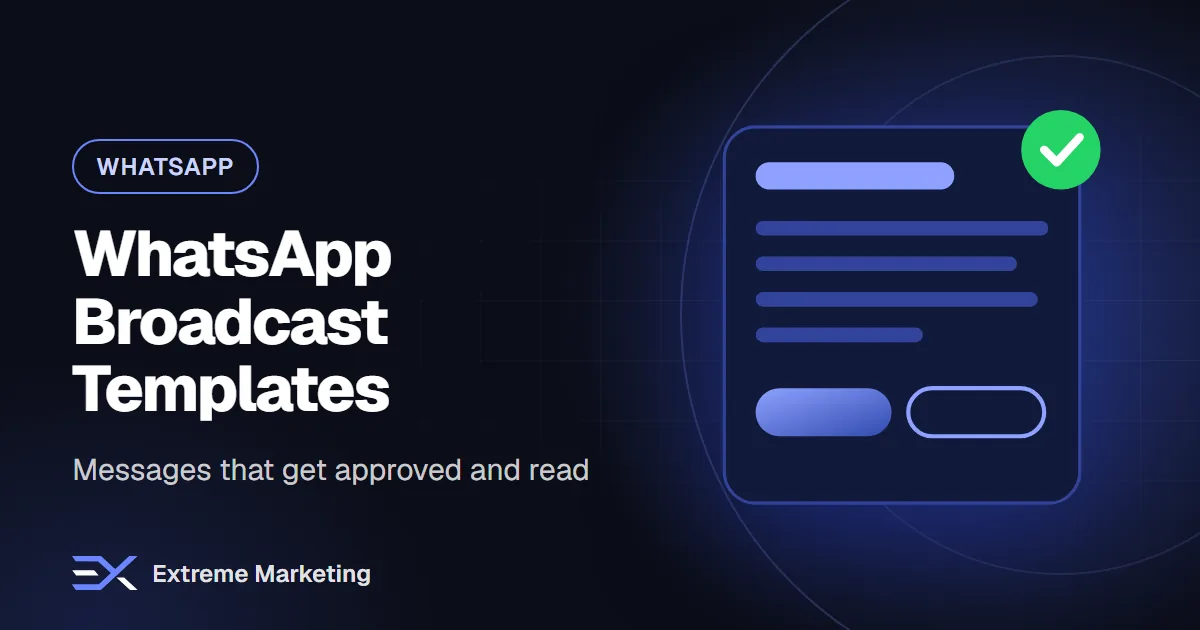
On the WhatsApp Business API, a business that wants to message a customer first, outside an open 24-hour customer service window, must use a pre-approved message template. Templates protect users from spam and give Meta a way to review what businesses send. If you plan broadcast campaigns, reminders or order updates, writing good templates is one of the most practical skills you can build.
This guide explains how templates work, how they are categorised, how to write them so that they are clear and more likely to be approved, and which mistakes cause problems. WhatsApp's rules and pricing change, so check Meta's current documentation and your provider's guidance before you launch.
How templates work
- You write the message with optional variables, such as the customer's name or an order number.
- You choose a category and language.
- The template is submitted to Meta for review through your provider.
- Once approved, you can send it to customers who have opted in to hear from you.
- Templates can have headers, body text, footers and buttons, such as quick replies, links or call buttons.
The main categories
Meta classifies templates by purpose, and the category affects how they are reviewed and charged. The exact names and pricing rules change, so check the current documentation. In general you will meet these types:
- Utility: messages about something the customer already requested or is part of, such as order confirmations, delivery updates, appointment reminders and account notices.
- Marketing: messages that promote or encourage action, such as offers, product launches, events and re-engagement.
- Authentication: one-time codes to verify identity.
Opt-in: the foundation
You should only message people who have agreed to receive messages from you on WhatsApp. Collect opt-in clearly, record when and how it was given and honour opt-outs quickly. If many recipients block or report your messages, your quality rating can fall and your sending can be limited.
How to write a template that is clear
- State who you are in the first line, so the customer recognises the sender.
- Say why you are messaging, for example 'Your appointment is tomorrow'.
- Give the key detail: time, order number, offer or next step.
- Add one clear action, such as a quick reply button or a link.
- Keep it short and easy to read on a phone.
- Add a way to opt out for marketing messages, according to your provider's guidance.
- Check spelling, tone and formatting.
Example templates (adapt to your business)
Appointment reminder (utility)
Hello {{1}}, this is a reminder of your appointment at {{2}} on {{3}} at {{4}}. Reply 1 to confirm or 2 to reschedule.
Order update (utility)
Hi {{1}}, your order {{2}} has been shipped and should arrive on {{3}}. You can track it here: {{4}}.
Offer (marketing)
Hi {{1}}, our Eid collection is now available at {{2}}. See the full range here: {{3}}. Reply STOP to opt out of offers.
Re-engagement (marketing)
Hello {{1}}, it has been a while since your last visit to {{2}}. We have new options you may like. Would you like us to send details?
Tips that help approval
- Make the purpose obvious and match the category.
- Use variables sensibly, with sample values that look realistic when you submit.
- Do not start or end with a variable alone, and do not place variables back to back with no text between them.
- Avoid misleading, threatening or overly aggressive language.
- Avoid content that breaks WhatsApp's commerce and business policies.
- Do not ask for sensitive information in the message.
- Keep links clean and from your own domain where possible; avoid shorteners that hide the destination.
- Write in the language you select for the template.
- Do not include false urgency or claims you cannot support.
Common reasons for rejection
- Category does not match the content.
- Vague or confusing wording.
- Variables placed incorrectly or with unrealistic samples.
- Prohibited products or claims.
- Missing context about who the sender is.
- Poor formatting or spelling.
- A link that looks suspicious.
If a template is rejected, read the reason carefully, edit it and resubmit rather than submitting many near-identical versions.
Write for reading, not just for approval
- Put the most important information first.
- Keep one idea per message.
- Use the customer's name only when it adds warmth and you have it right.
- Use emojis sparingly and appropriately.
- Test how the message looks on a phone.
- Offer a simple reply that people can send in one tap.
Arabic and English templates
Create separate templates for Arabic and English rather than mixing languages in one message. Have a native speaker write the Arabic version, because direct translations often sound stiff. Check how variables such as names and dates appear in right-to-left text, since mixed-direction content can display in unexpected order.
Measure and improve
- Delivery rate and read rate.
- Reply rate and click rate on buttons.
- Opt-out and block rates, which warn you if content or frequency is wrong.
- Conversions: bookings, orders or enquiries that came from the message.
- Quality rating and messaging limits in your account.
Test one change at a time, such as the first line, the button text or the send time. Keep records of what worked.
Frequency and timing
- Do not message more often than people expect.
- Send at times when a message is useful, not at night.
- Segment your audience so that offers reach people who care.
- Respect public holidays and prayer times in your timing choices.
Frequently asked questions
How long does approval take?
Review is automatic and can take up to 24 hours. Plan ahead for campaigns and holidays.
Can I edit an approved template?
Editing may trigger a new review and limits may apply. Check your provider's rules.
Can I send marketing messages to anyone with a phone number?
No. You need opt-in, and your messages must follow WhatsApp's policies and UAE rules.
Understanding Template Statuses and Re-categorisation
Template statuses change as Meta reviews and monitors your messages. Knowing these statuses helps you keep your campaigns running smoothly:
- In review: The template is currently being evaluated automatically.
- Active: Approved and ready to send.
- Paused or disabled: Triggered by low quality, negative customer feedback, or policy issues.
- Appeal requested: When you have asked Meta to review a rejection or category change within the allowed 60-day window in WhatsApp Manager.
Managing Quality Ratings and Avoiding Enforcement
Quality is based on customer feedback and engagement. Low read rates or recurring negative feedback can pause or disable your templates. To maintain high quality:
- Send relevant, expected messages only to people who have given proper consent.
- Honour opt-out and block requests promptly.
- Keep your phone number in the Connected state by monitoring your account health in Business Support Home.
Portfolio Messaging Limits and Scaling
Messaging limits cap the number of unique customers a business can message outside an open 24-hour customer service window over a rolling 24 hours. Since October 2025, limits apply per business portfolio rather than per individual phone number. New portfolios start at a baseline limit, which can scale up automatically when template quality is high and messaging volume meets Meta's criteria, or through business verification.
Working with Currencies and Billing
When setting up your messaging account, you choose a billing currency from sixteen supported options, such as AED billing. Choose carefully, because the currency cannot be changed later. Meta bills per delivered message by category and recipient country calling code, with volume tiers applying specifically to utility and authentication messages across your portfolio.
Vibbly helps UAE businesses set up the WhatsApp Business API, write templates in Arabic and English, and run broadcasts with a shared inbox. Message us on WhatsApp or book a free 30-minute call.
Want help putting this into practice?
Book a free audit and we will review your marketing and suggest the quickest wins.